












How-To
Hik-Connect Device Offline? How to Fix It
 How-To
The app says “Device offline”. The recorder in the cupboard is recording perfectly well and the TV shows every picture, but your phone shows a grey box. Annoying, but almost always fixable in ten minutes, as long as you work out which end the fault is at before you start changing settings.
First: ask the recorder
Go to the recorder itself, on the TV or monitor plugged into it. In the menu, under Network, find Platform Access. Some firmware versions file it under Advanced. You’re looking for two things. The Hik-Connect box should be ticked, and the status next to it should say Online.
That one screen splits the problem in half. If the recorder says Offline, the fault is between the recorder and the internet, and the phone is innocent. Work through the next few sections. If the recorder says Online but the app still disagrees, skip to the section on the app.
Check the network settings
Still in the recorder’s menu, open the general network settings and read the numbers.
The IP address should be in the same range as your router. If the router is 192.168.1.254, the recorder should be 192.168.1.something. The gateway should be the router’s address. The DNS servers are where most offline faults hide. A recorder with a blank or wrong DNS server can talk to your home network perfectly well and still can’t find Hik-Connect’s servers. Put 8.8.8.8 as the preferred DNS and 8.8.4.4 as the alternate, or the router’s own address, then save.
Give it a minute. Go back to Platform Access. Online? Done.
Did you change broadband provider?
This is the classic. The system worked for three years, the new provider’s engineer swapped the hub on Tuesday, and on Wednesday the app says offline. Different providers’ hubs hand out different address ranges. A recorder set to a fixed address of 192.168.1.64 behind a BT hub won’t reach the internet behind a Virgin Media hub that lives on 192.168.0.1, because it’s now on the wrong network entirely.
The quick fix is to switch the recorder to DHCP so it picks up an address from the new hub, then set a fixed address again in the new range if you rely on one. Any port forwarding you had set up won’t have survived the swap either. Our guides for the BT Smart Hub and Virgin Media hubs cover setting it up again, although Hik-Connect itself doesn’t need it.
Check the cable
Look at the network port on the back of the recorder. No lights, no internet. Try a different cable and a different port on the router. If the recorder connects through powerline adapters, plug a laptop into the same adapter and see if that gets online. Powerline links drop out more than people think, especially after someone moves them to a different socket or onto an extension lead.
Recorders on Wi-Fi bridges or extenders cause the same kind of trouble. A cable to the router is boring and it works.

Platform Access switched off
A factory reset or a firmware update can untick the Hik-Connect box, and on some recorders the verification code goes with it. Tick it again and set a verification code you’ll remember. If the code changes, the app will ask for the new one before it shows pictures. That isn’t a fault, just the app catching up.
Firmware
Old firmware is a common cause on recorders more than five or six years old. Hikvision changes things on the Hik-Connect side from time to time and very old firmware stops keeping up. Find the exact model and hardware version on the label underneath, then get the matching firmware from Hikvision’s own download portal. Only ever load firmware made for your exact model. The wrong file can leave a recorder that won’t start, and that’s a far worse problem than an offline icon.
When the recorder says Online but the app doesn’t
Log out of the app and back in. Update it. Check you’re signed in to the same account the recorder was added to, because a recorder added by an installer often sits on the installer’s account and was shared with you, and if they removed the share it’ll vanish or show as unavailable. Check the account’s region too. A UK system belongs on a UK or European account.
Then try your phone on mobile data rather than Wi-Fi. If it works on 4G but not at home, the phone and the recorder may be fighting over your own network, which is a router issue rather than a Hik-Connect one.
One camera offline, the rest fine
That’s a different fault. The recorder is online and one channel isn’t reaching it. On an IP system, move the camera onto a PoE port you know works, then look in the recorder’s camera list for an IP address conflict. On an analogue system it’s usually the connector or the camera’s power supply. CCTV connectors explained and PoE for CCTV both help there.
Still offline?
Very old recorders sometimes can’t be brought onto current Hik-Connect at all. If yours is one, a new recorder is often the cheaper answer than an afternoon of trying. Your cameras will usually move across. Setup on a new one is in our Hik-Connect setup guide, and DVR vs NVR helps you pick the right replacement. If you’re replacing more than the recorder, start with the CCTV kit buying guide.
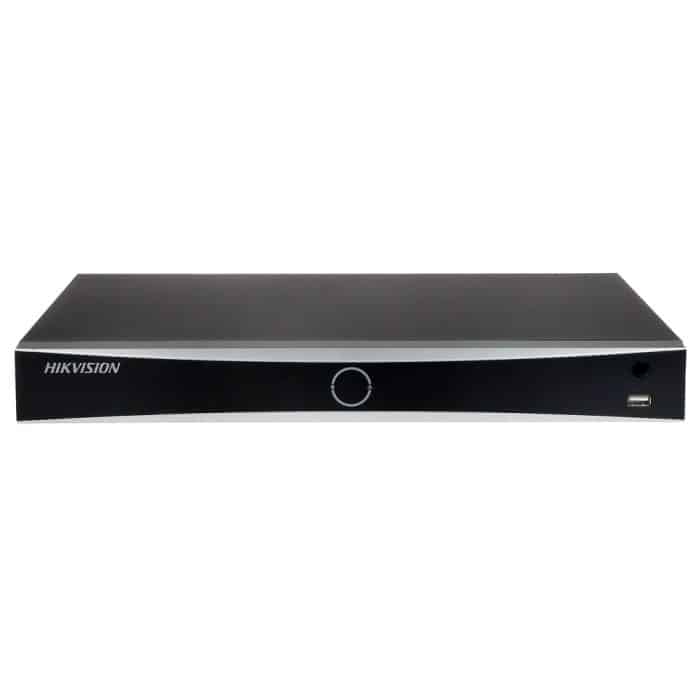
NVR recordersCurrent Hik-Connect support, PoE ports and AcuSense on many models.

DVR recordersFor coax cameras, hybrid 5-in-1 models included.

Network switchesFor when the router has run out of ports.

Network cablePatch leads and Cat5e or Cat6 on a drum.
If you’ve worked through all of that and you’re still stuck, tell us the recorder’s model number and what Platform Access says through our contact form.
Frequently asked questions
Why does Hik-Connect say my device is offline?
Usually because the recorder has lost its route to the internet: a wrong DNS setting, a new broadband router on a different address range, a loose cable or Platform Access switched off after a reset.
Do I need port forwarding for Hik-Connect?
No. Hik-Connect connects out through Hikvision’s servers, so it works without port forwarding. You only need ports forwarded for direct access by IP address or DDNS.
Where do I find the Hik-Connect verification code?
Cameras usually have one printed on their label. On recorders it is the code set when Hik-Connect was enabled under Platform Access, and you can change it there.
Why is one camera offline in Hik-Connect when the others work?
The recorder is online but that camera is not reaching it. Start with that camera’s cable and power. On an IP system, an address conflict is the next most likely cause.